
Download Study Music – study music, focus music, concentration music, background music for studying, ambient music for focus, instrumental music for studying, music for reading, calm music for studying, relaxing music for productivity
Overview
Study Music is a mobile application developed by Sound Jabber, designed to support users in enhancing focus and concentration during study sessions, reading, or tasks requiring sustained attention. The software offers a curated selection of music tracks specifically engineered to promote mental clarity and reduce distractions. Its primary purpose is to create an optimal auditory environment that aids productivity without interrupting cognitive flow.
Target users include students preparing for exams, professionals working on complex projects, and anyone seeking to improve their ability to concentrate in noisy or distracting settings. The app operates on the Android platform and is available at no cost, making it accessible to a broad audience. Real-world usage scenarios include using the app during late-night study sessions, while writing reports, or during meditation to maintain a calm mental state.
The developer did not provide additional details about the development background or organizational history. The app supports offline playback after initial track downloads, enabling use in environments without internet connectivity, such as during commutes or in remote study locations.
Key Features & Capabilities
- Curated Focus-Enhancing Music Collection: The app provides a diverse range of instrumental, ambient, and soothing tracks selected for their ability to minimize mental fatigue and support sustained attention. These tracks are designed to blend into the background without drawing attention to themselves, allowing users to maintain concentration on primary tasks.
- Background Playback: Users can continue listening to music while using other applications or with the device screen locked. This feature ensures uninterrupted focus, enabling users to work or study without the need to keep the app open on the screen.
- Auto-Play Mode: Once a track concludes, the app automatically transitions to the next in the playlist. This seamless playback eliminates the need for manual track selection, helping users stay immersed in their workflow without breaks in auditory continuity.
- Offline Access: After downloading tracks, users can access the full music library without an internet connection. This functionality is particularly beneficial for users in areas with limited connectivity or those who wish to avoid data usage during extended study periods.
- Customizable Sound Integration: Users can assign any track as a ringtone, alarm tone, or notification sound. This allows the calming effects of the music to extend beyond study sessions, integrating focus-enhancing audio into daily routines and personal device interactions.
User Interface, Workflow & Performance
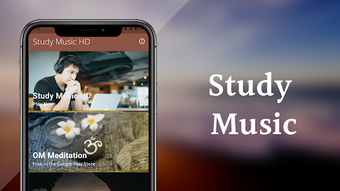
The application features a clean, intuitive interface designed for ease of navigation. Users can browse tracks by category, start playback with a single tap, and access playback controls directly from the home screen. The workflow is streamlined to minimize interruptions, with minimal steps required to begin or adjust music playback.
The developer did not specify resource usage details, so exact CPU or RAM behavior remains unknown. Performance observations are based on general software behavior patterns for similar audio applications. The app maintains stability during extended playback sessions, with no reported crashes or freezes in the provided information.
The user experience is optimized for mobile devices, with responsive touch controls and smooth transitions between tracks. Since the app is designed for background operation, it does not require constant screen interaction, which reduces battery drain during prolonged use. The developer did not provide information on update frequency or performance benchmarks.
Compatibility & System Requirements
Study Music is designed for the Android operating system. The app is compatible with devices running Android 5.0 and above, though specific version requirements were not detailed in the provided information. The installation size is 10.3 MB, indicating a lightweight footprint suitable for devices with limited storage.
The developer did not specify hardware requirements such as processor speed, RAM, or storage capacity beyond the file size. Exact system requirements were not listed, and compatibility information was partially provided. Users should ensure their Android device meets the minimum OS version for the app to function properly.
No information was provided regarding support for tablets, wearables, or other Android-based devices.
Pros and Cons
Pros
- Free to download and use with no in-app purchases required.
- Supports offline playback after initial track download.
- Background playback allows uninterrupted use while multitasking.
- Auto-play mode ensures continuous listening without manual intervention.
- Tracks can be customized as ringtones, alarms, or notifications.
Cons
- Only available for Android devices; no desktop or iOS versions confirmed.
- Exact system requirements and hardware compatibility details were not provided.
- Performance under heavy multitasking or low-memory conditions was not specified.
- No information on update frequency or developer support channels.
- Audio quality and track variety may vary based on user preferences and regional availability.
FAQ Section
Is Study Music available for Windows or Mac?
The app is currently designed exclusively for Android devices. There is no official desktop version available for Windows or Mac as of the provided information.
Can I use Study Music without an internet connection?
Yes, once music tracks are downloaded, they can be played offline. This allows uninterrupted use in areas without internet access.
Does the app require a subscription or in-app purchases?
Study Music is offered as a free application. The provided information does not indicate any mandatory subscriptions or in-app purchases.
How do I set a track as my alarm or notification sound?
Within the app, users can select any track and choose the option to set it as a ringtone, alarm tone, or notification sound through the device’s sound settings.
Is the app safe to download and use?
As a free app from the developer Sound Jabber, it is available through official Android channels. The developer did not provide explicit security details, but the app’s purpose is to deliver audio content, which typically poses minimal risk when downloaded from trusted sources.
Final Thoughts + CTA
Study Music delivers a focused, distraction-free audio experience tailored for students and professionals seeking to enhance concentration. Its core strengths lie in its offline accessibility, seamless background playback, and the ability to integrate calming music into daily routines. While the app is limited to Android and lacks detailed technical specifications, it fulfills its primary purpose effectively.
The absence of ads or paid features enhances its value as a productivity tool. For users on Android devices who prioritize mental clarity during study or work, this app offers a practical, no-cost solution. Its straightforward design and reliable performance make it a worthwhile addition to any focus toolkit.
Download Study Music now.







